SELF-HOSTED PHOTO LIBRARY  ·  OPEN SOURCE

A photo library that runs on your own computer.
Organized like Lightroom Classic.

Browse, cull, rank and search a large photo archive on your own computer. Nothing is uploaded to anyone else's servers.

SECTIONS 01 TO 04 ARE LIVE DEMOS WITH REAL PHOTOS AND REAL CATALOG DATA. SECTION 05 SHOWS SCREENSHOTS OF THE DESKTOP APP.

01 · THE LIBRARY

Fast browsing, even with a large archive.
Here are 36 real photos. Try the filters.

These are from my Selected Landscapes collection, exported from the live catalog with their real file data, EXIF and Elo ratings. Filters can be combined, the counts update immediately, and every photo opens in the loupe below.

LIBRARY · SELECTED LANDSCAPES
SOURCE: LIVE CATALOG EXPORT · photoarchive.db → collection_id 2CLICK ANY FRAME → LOUPE

02 · THE LOUPE

One photo at full size, next to its details.
It works from the keyboard. Try the keys.

Metadata, ranking and a histogram calculated from the pixels are shown next to the image. Use ← → to move, P to pick, X to reject, U to clear, and L to dim everything except the photo.

LOUPE
Loupe photograph

03 · RANKING INSTEAD OF RATING

Pick the best photo.
The ranking is built from your choices.

This is Refine, running the real Elo calculation in the page. Click the photo you like best. It takes rating points from the photos it beat, a new photo replaces it, and the standings update. In the app, each pick also moves photos that look similar.

REFINE · PICK THE BEST PHOTO
STANDINGS · TOP 8 IN THIS SESSIONK = 24 · REAL ELO CALCULATION

    05 · THE DESKTOP APP

    Screenshots of the desktop app.
    Version 2.0 on a separate test library, September 2026.

    The desktop app is one Python program with one native window and no server. These are the features that most photo libraries do not have.

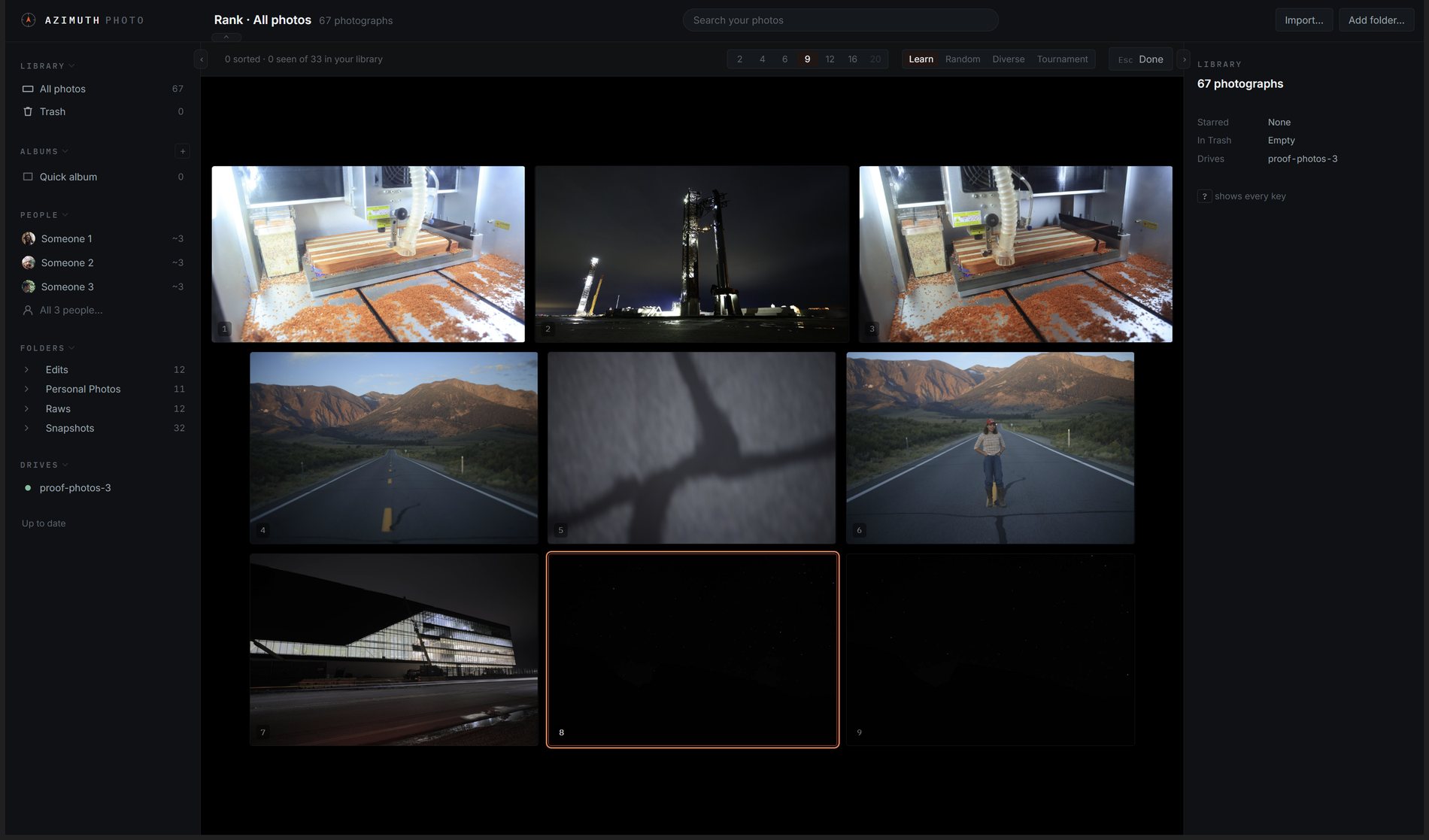
    The Rank stage: a round of nine photographs, the cursor on one
    Ranking instead of ratingThe app shows a set of photos and you pick the best one. Your picks produce the ranking, and each star level holds half as many photos as the one below it.
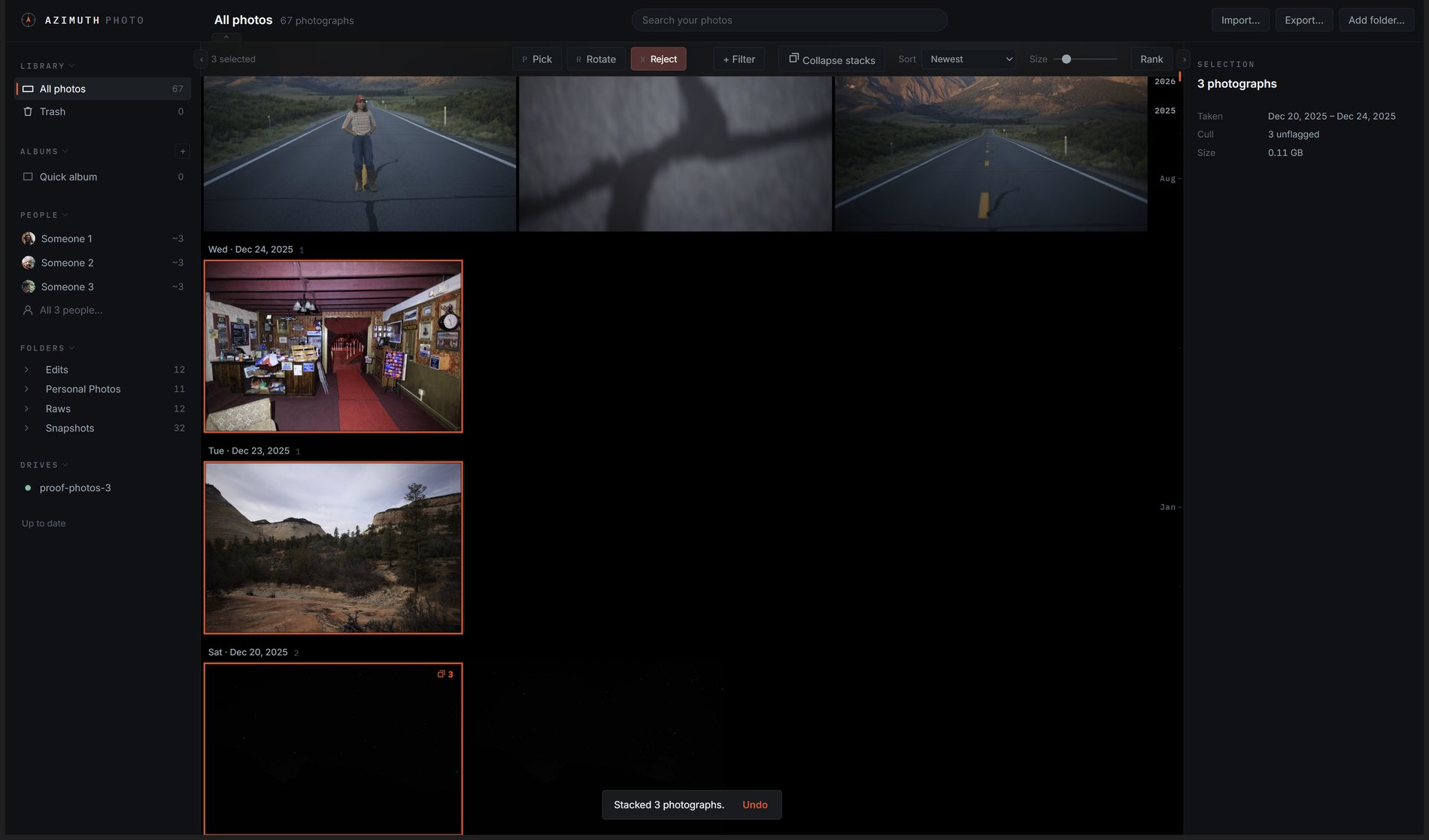
    The grid after a keyboard cull: a pick, a reject, a turned frame, a stacked burst and an Undo toast
    Culling from the keyboard, with UndoP picks, X rejects, R rotates, S stacks a burst. Nothing is stacked unless you ask. Every change can be undone.
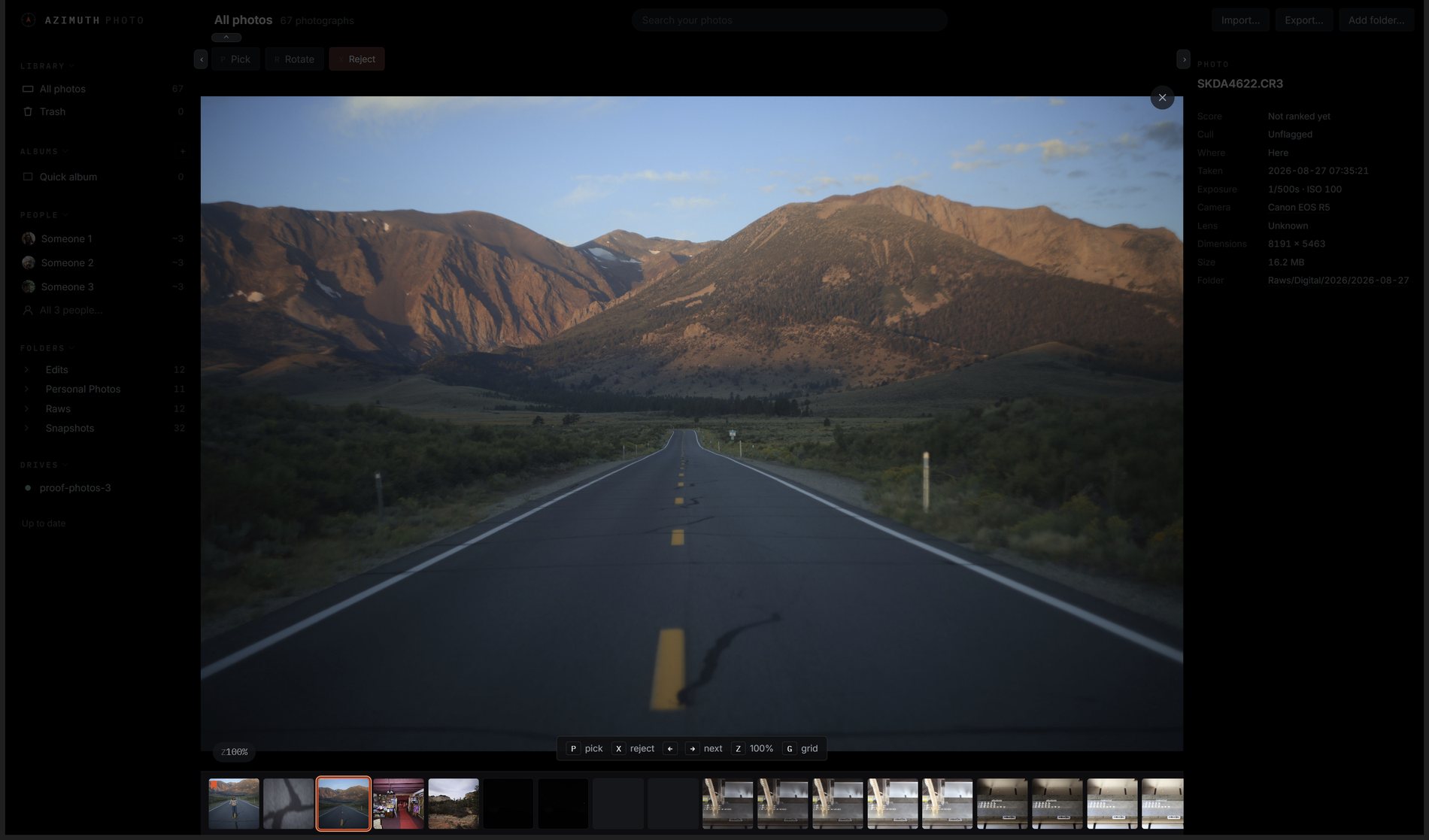
    The loupe under Lights Out: only the photograph
    Lights OutPress L and everything except the photo fades. The loupe opens without animation, so there is no wait.
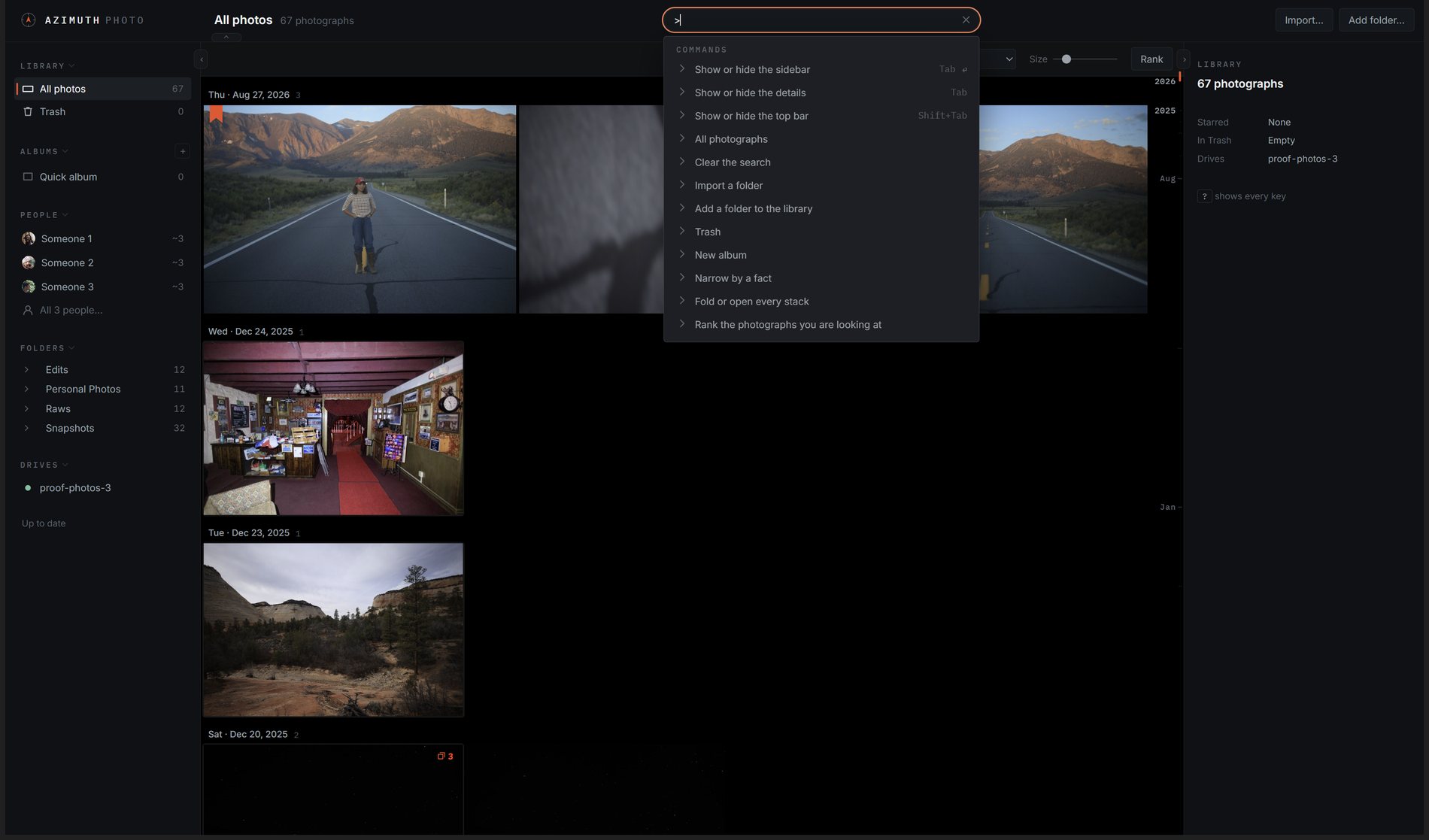
    The search box with a leading > listing every command
    Combined search and a command listSearch combines text, your albums and labels, and meaning. Typing > at the start of the box lists every command on the screen.
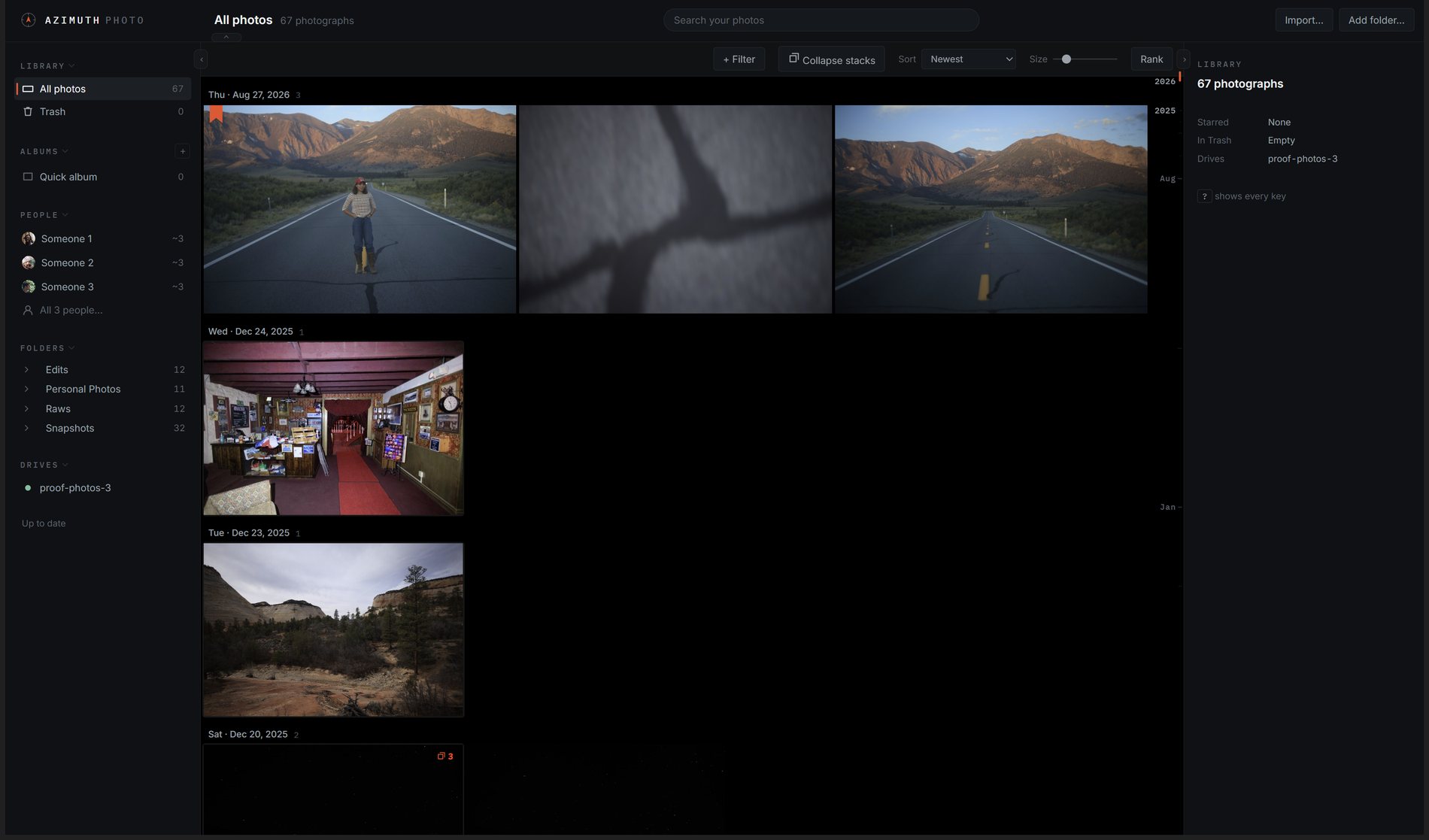
    The library: justified rows in day chapters with a timeline rail
    Days, folders and drivesPhotos are grouped by the day they were taken. Folders from every drive appear in one tree. If a drive is unplugged, its photos stay in the library and show that the drive is away.
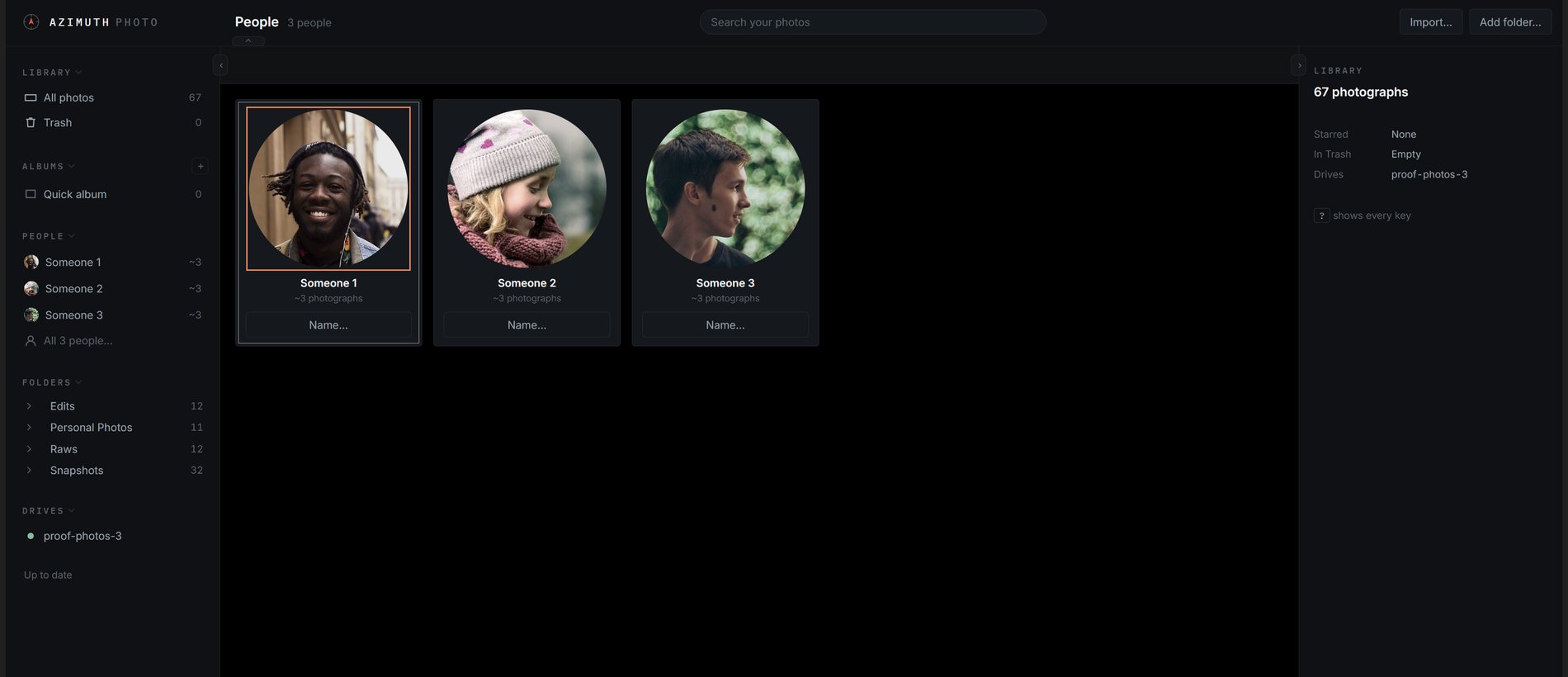
    The People wall: a group of faces to be named
    People and labelsFaces are found on your own graphics card, and a person is a name you give to a group of faces. A label learns from you: search cat, mark the one dog as wrong, and the label improves everywhere it is used.
    Works with LightroomRatings, colour labels and keywords are written to sidecar files in Lightroom's format, and Lightroom's edits are read back. Editing is done in Lightroom.
    Measurements, not scoresSharpness for the whole photo, each face and each eye; whether eyes are open or closed; exposure, colour and grain. Each is stored as its own number that you can filter by. They are not combined into one score.

    WHY I BUILT IT

    I wanted my archive on my own drives,
    with good tools to browse and rank it.
    So it takes ideas from both Google Photos and Lightroom.

    FROM GOOGLE PHOTOS

    A timeline to scroll through, and search by meaning: "sunset over water" finds sunsets over water. No filing or tagging needed.

    FROM LIGHTROOM CLASSIC

    A real folder tree, pick and reject, stacks, a keyboard-driven loupe, filters that combine, and a dense layout.

    FROM NEITHER

    Elo ranking. Quick choices between photos show which ones are your best. You tried it above.

    150,000photos in my own archive, the library it is built with
    0 BYTESuploaded to anyone else's servers
    $0open source and self-hosted

    THE DEVELOPMENT LOG

    It started as a small script that asked
    "which photo is better?"

    Three years and 3,046 commits later, the project has been through a large app with a RAW editor and a film emulation engine, a cut from 182,688 lines down to a small core, and a rebuild on that core. The Field Log describes the whole history in order, with interactive demos and screenshots taken by running each version of the software.

    3,046commits since the first 228-line script
    0.06%of the catalog could not be recreated, so the rest was simplified
    950+findings recorded and closed since 9 September

    GET STARTED

    Your photos stay on your own drives.
    The app starts with an empty library.

    It runs on your own computer. The demos above use real photos, real catalog data and the real calculations. The code is open source under the AGPL.